Create a free poll and find the time your group can make.
Add possible dates or times, share one guest link, and collect availability without asking anyone to create an account.
Enough for most small groups.
Free is built for quick plans where the group just needs a link, a vote, and a clear final time.
Unlimited basic polls
Make as many simple polls as you need.
Up to 20 guests
Free polls include 20 guest responses.
No guest accounts
Guests vote from the link you send.
Final-time page
Pick a winner and share one final answer.
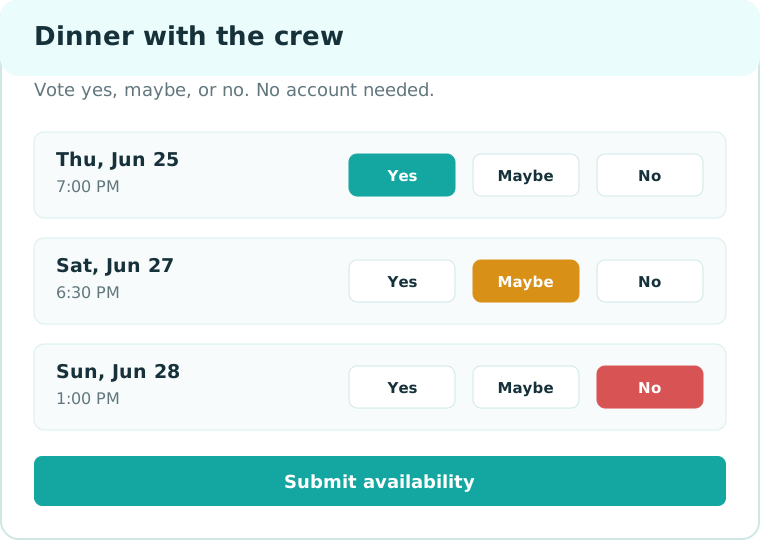
Start with the poll, not another calendar app.
Guests vote from the link you send. You keep the organizer link, watch the results, and choose the final time when the answer is clear.
Start freeFast answers before you make a poll.
Do guests need accounts?
No. Guests open the shared link, enter their name, and vote.
Can I poll dates and times?
Yes. Add exact date/time options or label an option in plain words like Saturday brunch.
Can I keep guest names private?
Yes. The organizer can keep guest names private while still seeing the full admin results.
Can I close a poll?
Set a closing date when you create it, or choose a final time when you are ready.
Can I use this on mobile?
Yes. The guest voting page is designed for phones and small screens.
What happens after I pick a time?
Group When creates a final-time page you can share with the group.
Can I ask for help with a poll?
Yes. Email the poll link and what decision you are trying to make. We will reply with the next useful step.